Download AI Video Editor: ShotCut AI free on android
APK file ShotCut 4.0.2How to install APK / APKS / OBB file on Android
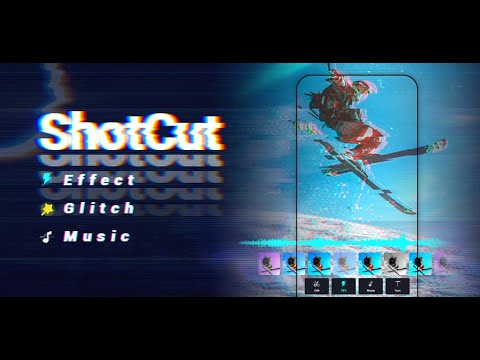

ShotCut - a pro AI video editor, offers intuitive AI tools and the most trending content to cater to diverse user needs. Whether a seasoned creator or a novice editor, you can use shotcut to craft unique works.
★ AI Video Editor Tool
- AI Captions
Free trial for transcribing your videos to text is now live! Experience our latest ai technology, smarter sentence segmentation, precise word segmentations, and full support across all major languages!
- AI Automusic
Post your videos to shotcut and enrich them with auto-generated music. We'll match a music set suitable for your video's style.
- Ai Text Generation
Simply upload your video, specify the platform, and our Ai crafts powerful titles, hashtags, and descriptions for maximum engagement.
★ Basic Video Editing
- Video reverser
Reverse/rewind vid and play video backwards in seconds.
- Video cropper
Crop your video for free. Easily crop your video to any aspect ratios.
- Video cutter & splitter
Cut and split larger video into clips.
- Video merger & combiner
A free merge tool to combine video clips together.
- Video converter
Convert video to HD quality or MP3 audio. Export video without watermark.
- Video eraser
Video editor no watermark. Remove watermark from video.
- Video sound/audio editor
Extract audio from video and edit audio track of your video.
★ Pro Video Editing
- Add music to video
Add audio, songs, voice over, and sound effects to video for free. The best video maker with music.
- Stop motion
Create easy stop motion video animations with just your phone!
- Slow motion
Slow down your videos and create cool slo mo effects online.
- Blur video
Add blur/mosaic to video. Pixelate videos.
- PIP
Create a Picture in Picture and overlay video like a pro.
- Video effects & filters
Transition effects for videos, slow mo fx, bold glamour filter, hyperlapse, and etc. ShotCut is loaded with reel templates for Instagram & effect house templates for TikTok.
- Video stabilizer
Stabilize shaky footage for free. Remove the effect of camera shake from captured videos.
- Green screen editor
Remove a selected color from video with the chroma key tehnique.
- Video background remover
Video cutout. Remove background from video without green screen.
As a full-featured editing app for videos, ShotCut can be used for multi purposes:
Free video editor, maker, and creator
A free video maker to generate slideshows, movies, vlogs for TikTok, YouTube, and Instagram platforms.
Movie maker & editor
Make a movie for free with a standard 24 fps frame rate. Edit films or movies like a pro.
Slideshow maker
Free photo video slideshow maker with music and voice over. Picture video maker: convert live photo to video.
Free collage maker
Make video collage for free, layout video and photo collage as you want.
Slow motion video editor
Make slow and fast motion video from normal frame rate footage.
Video speed editor
Adjust video velocity with fast & slow motion fx. Speed up or slow down video without losing video quality.
Reels maker & editor
Instagram reel maker, Instagram editor, free reel maker, instagram video editor.
YouTube editor
The best editing app for YouTube. Easily create vlogs and music videos.
TikTok editor
Edit videos for TikTok without CapCut video editor and Effect House.
Instagram post maker
Create Instagram posts with a plethora of reel templates.
Make the most of ShotCut as a video editor, movie maker, slideshow maker, or whatever you need it for!
Disclaimer:
ShotCut is not affiliated, associated, sponsored, endorsed by, or in any way officially connected with YouTube, Instagram, TikTok, WhatsApp, Facebook, Twitter.
Stay connected with us on: https://discord.gg/DYHA9W7Xaa
- Refined video import and export workflows.
- Reduced app size for a lighter Shotcut.
- LicenseFree
- File nameShotCut
- File Version4.0.2
- Package namevideo.editor.videomaker.effects.fx
- UploadedSeptember 25, 2026

- CategoryVideo Players & Editors
- DeveloperShotcut Video Workshop
- Developer sitehttps://www.ahasave.com/
- Developer emailsupport-alldown@ahasave.com
- Permissionsshow (21)
